Thanks to a user request by Ryan W. I am happy to announce a very simple extension for the Firefox and the Chrome web browsers. It’s not a robust extension, but it will allow you to quickly access NovelRank from Amazon (and if the book is not yet tracked, add it for tracking quickly). Here is what the extension does on Amazon’s website: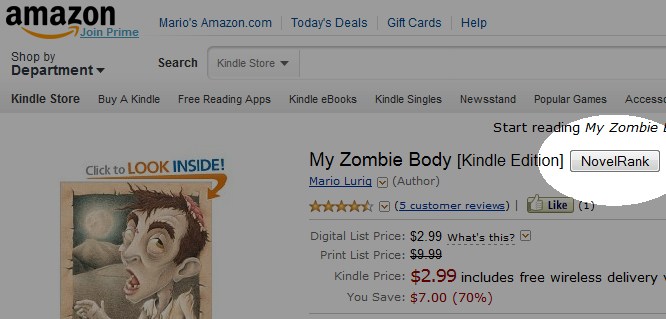
Continue reading
Tag Archives: Amazon
Top of Amazon Search Rankings – Only 200 Copies Available
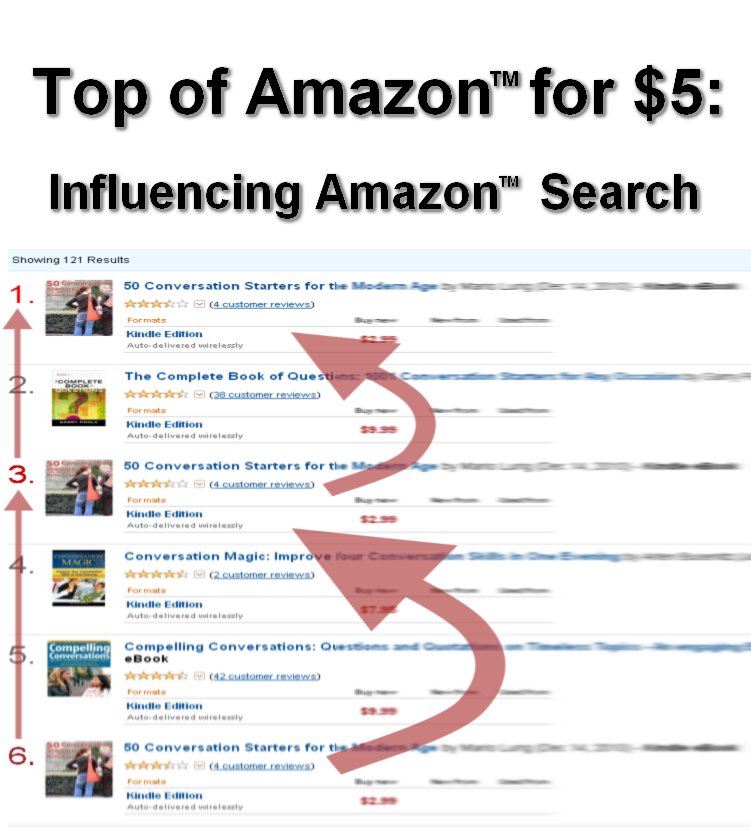 Announcing the results of 3 years of research: a PDF that will only be sold to 200 people, then it will be no longer available. The PDF is titled, “Top of Amazon for $5: Influencing Amazon Search“. What does it offer? It provides explicit descriptions, screenshots, and instructions for an amazing way to get your product to the top of Amazon search results. This is a very big secret that will only benefit 200 people; will you be one of them?
This book is no longer available.
This method is not limited to books: it works for all products found on Amazon, and can be used on any Amazon site worldwide. Get your product in front of the millions of visitors to Amazon every day by appearing in the top 3 of the search results! Once you learn it, you can continue to use it as often as you need. This information will be shared with only 200 people to maximize the benefit for those lucky individuals. Don’t miss out.
The PDF describes a method that will not cost anything, but is most effective with a small further investment of a few dollars. It’s tested and proven to take a small investment in time and, optionally, money to rise in the search results on Amazon. There is also a 30 day money-back guarantee if you don’t find the document clear and easy to follow.
Note: While this document can be applied internationally, it has the strongest value if you are U.S. based.
Act now, or before you know it, the 200 copies will be gone forever.
This book is no longer available.
Update: A review of the PDF.
Add your Author or Book Blog to Amazon Kindle Marketplace
Did you know that besides books, magazines, and newspapers, the Amazon Kindle can also subscribe to blogs? From some of the most popular blogs on the web to smaller websites, you can have the content delivered directly to your Kindle. More importantly, for NovelRank authors, you can have your book or author blog available for your fans and readers, direct to their Kindle!
Yes, Amazon charges a small monthly fee ($1.99) to the Kindle user to subscribe to your blog, but 70% of the revenue is shared directly to the blog’s creator (that’s you). So, besides providing a service to your fans, you also are generating a little more revenue for all that brilliant blog content! Excited? Time to learn more.
It’s really easy actually. Head to the Kindle Publishing for blogs page. You can’t simply use your Amazon account, and will have to create a new account. You can use the same email address as your Amazon account, but you will need a different password (I don’t know why, it just does). Once your account is created and you confirm your email address by clicking the link that is sent to your email inbox, you will be logged into your new account!
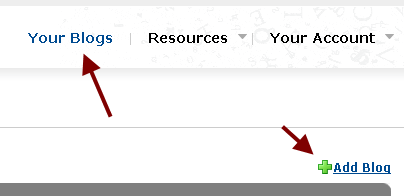
Click the ‘Your Blogs’ link in the top-right and add a blog. You will need the RSS feed to your blog, fill out some info, and provide some screenshots, but the entire process should take less than 15 minutes. Once your blog is added, it takes less than 24 hours before it is added to Amazon, and less than 72 hours before it is available in searches on Amazon.com. Then, tell people!
If you want to see an example, or you are a Kindle user and want to do a 14-day sample, you can get the NovelRank blog on the Kindle! I wish I could make it free or $0.99, but Amazon is currently setting the prices.
NovelRank Trouble – Amazon Closed Affiliate Accounts in Colorado
As of this morning, March 8th, Amazon has announced that they are closing Amazon Affiliate accounts for Colorado residents in reaction to a new state sales tax law enacted on February 24, 2010. While users may not be aware, I’m a Colorado resident, and the Amazon Affiliate program is how NovelRank survives as a free service for authors to track their sales rank. The program pays a small percentage fee to me when anyone purchases any product on Amazon when clicking through NovelRank book links to Amazon pages. This costs the buyer nothing at all.
Amazon Affiliate payments were covering the website hosting costs for running the service for a total cost of $348 a year, but did not cover the 217+ hours I have spent building and improving NovelRank. I LOVE doing NovelRank, but this is really really bad as the hosting costs are now an out-of-pocket financial cost for me. I’m scrambling to try and get around this (or hope that Colorado law makers repeal the law and thus Amazon reinstates the Associates account). Till then, thank you to the two individuals who have donated directly to support NovelRank, and if you are able and wish to, a small donation would go a long way in allowing NovelRank to continue serving you (I have a lot of books to giveaway!).
Sincerely,
Mario Lurig
Creator, NovelRank
The full email I received this morning:
Dear Colorado-based Amazon Associate:
We are writing from the Amazon Associates Program to inform you that the Colorado government recently enacted a law to impose sales tax regulations on online retailers. The regulations are burdensome and no other state has similar rules. The new regulations do not require online retailers to collect sales tax. Instead, they are clearly intended to increase the compliance burden to a point where online retailers will be induced to “voluntarily” collect Colorado sales tax — a course we won’t take.
We and many others strongly opposed this legislation, known as HB 10-1193, but it was enacted anyway. Regrettably, as a result of the new law, we have decided to stop advertising through Associates based in Colorado. We plan to continue to sell to Colorado residents, however, and will advertise through other channels, including through Associates based in other states.
There is a right way for Colorado to pursue its revenue goals, but this new law is a wrong way. As we repeatedly communicated to Colorado legislators, including those who sponsored and supported the new law, we are not opposed to collecting sales tax within a constitutionally-permissible system applied even-handedly. The US Supreme Court has defined what would be constitutional, and if Colorado would repeal the current law or follow the constitutional approach to collection, we would welcome the opportunity to reinstate Colorado-based Associates.
You may express your views of Colorado’s new law to members of the General Assembly [ http://www.leg.state.co.us/Clics/CLICS2010A/csl.nsf/directory?openframeset= ] and to Governor Ritter [ http://www.colorado.gov/cs/Satellite/GovRitter/GOVR/1177024890452 ], who signed the bill.
Your Associates account has been closed as of March 8, 2010, and we will no longer pay advertising fees for customers you refer to Amazon.com after that date. Please be assured that all qualifying advertising fees earned prior to March 8, 2010, will be processed and paid in accordance with our regular payment schedule. Based on your account closure date of March 8, any final payments will be paid by May 31, 2010.
We have enjoyed working with you and other Colorado-based participants in the Amazon Associates Program, and wish you all the best in your future.
Best Regards,
The Amazon Associates Team
Update: March 9, 2010 10:04 AM
According to WSJ about $35 million was generated for the 4,200 affiliates in Colorado. Estimated $1.62 million then in lost state tax revenue for a ‘projected’ $5 million from the new law.
Update: March 12, 2010 7:14 AM
No movement from Colorado Legislature. NovelRank isn’t going away, even if it is out-of-pocket, it will be here for at least the rest of 2010. I’m working with family to move affiliate revenue to one of them in the state of Florida. It’s a ridiculous burden, but it will work. Thanks for the kind emails and the donations that have been made.